
Features
The whole job lifecycle, properly joined up.
From the first enquiry to the final invoice. In the office, on site and on your phone.
Quotes → jobs → invoices
Quote the work, book the job and send the invoice in one flow. CIS and reverse-charge VAT are handled along the way.
- Build and edit quotes with labour and materials.
- Turn accepted quotes into jobs and schedule the crew.
- Invoice with CIS and Domestic Reverse Charge VAT handled.
- Take payment through Stripe.


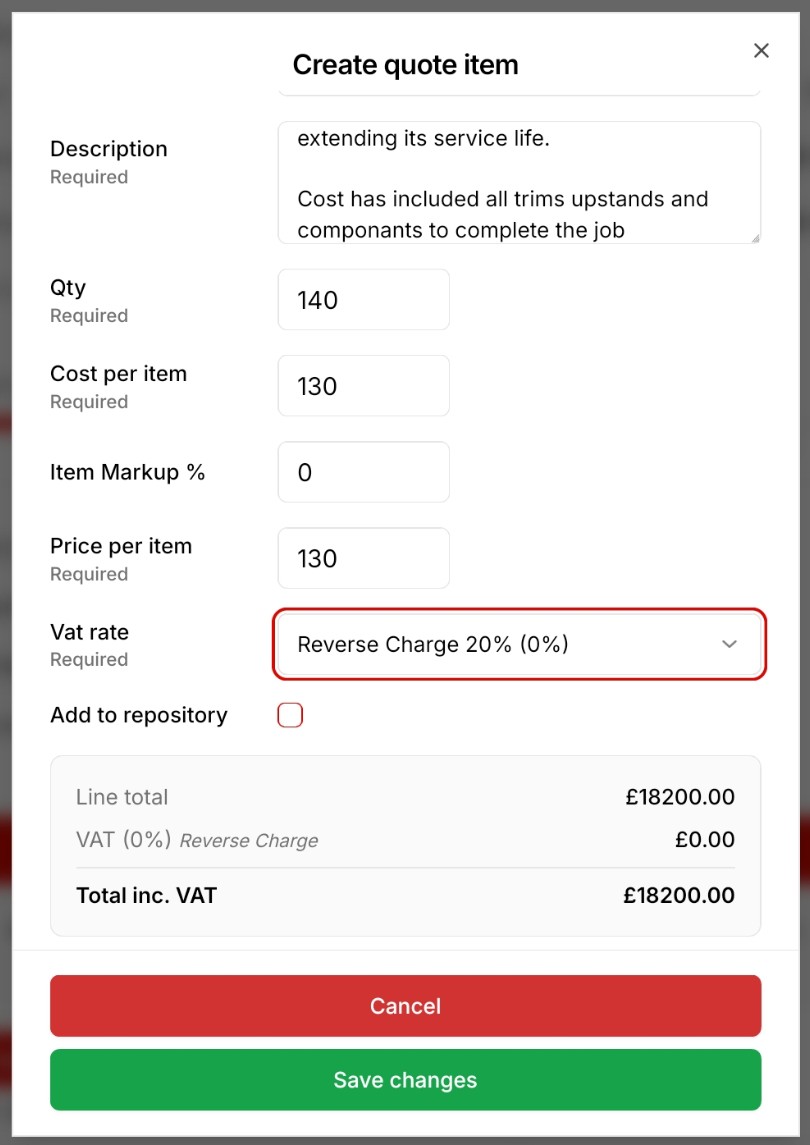
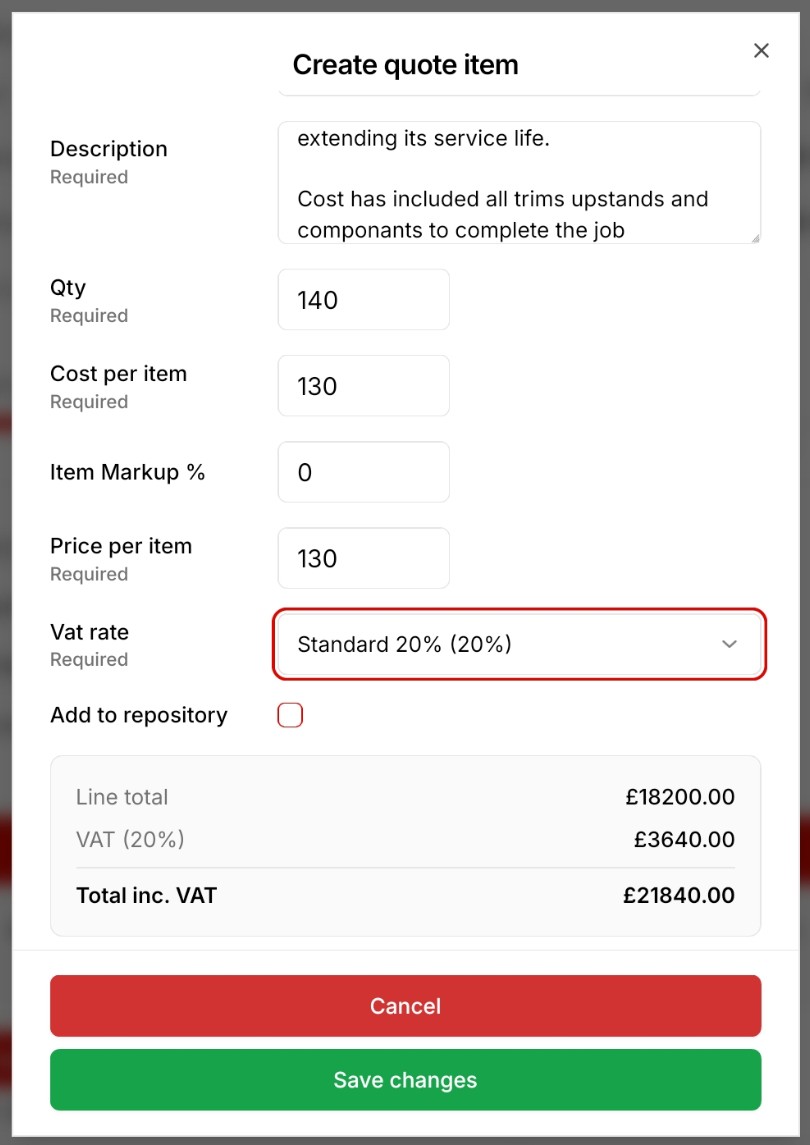
DRC or standard VAT — picked per line item, calculated automatically.
Job sheets on the phone
Photos, signatures, time and materials captured on site, straight into the job. Offline capture is coming soon.
- Record time, materials and customer signatures on site.
- Attach job photos to the same record.
- Offline capture coming soon


RAMS Creator
Build, sign, send and revise your risk assessments and method statements. The crew reads and signs on the phone before starting.
- Create and issue RAMS against the job.
- Revise documents as the work changes.
- Collect sign-before-start acknowledgements on the phone.


Site inductions by QR code
Give each site a QR code for inductions, with a CDM-ready register, card photos and 12-month validity.
- Scan the site QR code to complete an induction.
- Keep a CDM-ready register with card photos.
- Track induction validity for 12 months.

Subcontractor compliance
Keep insurance, SSIP and CSCS records together. Expiry reminders help you catch documents that need renewing.
- Track subcontractor insurance documents.
- Keep SSIP and CSCS records against each subcontractor.
- Receive reminders before documents expire.
Variation Catcher
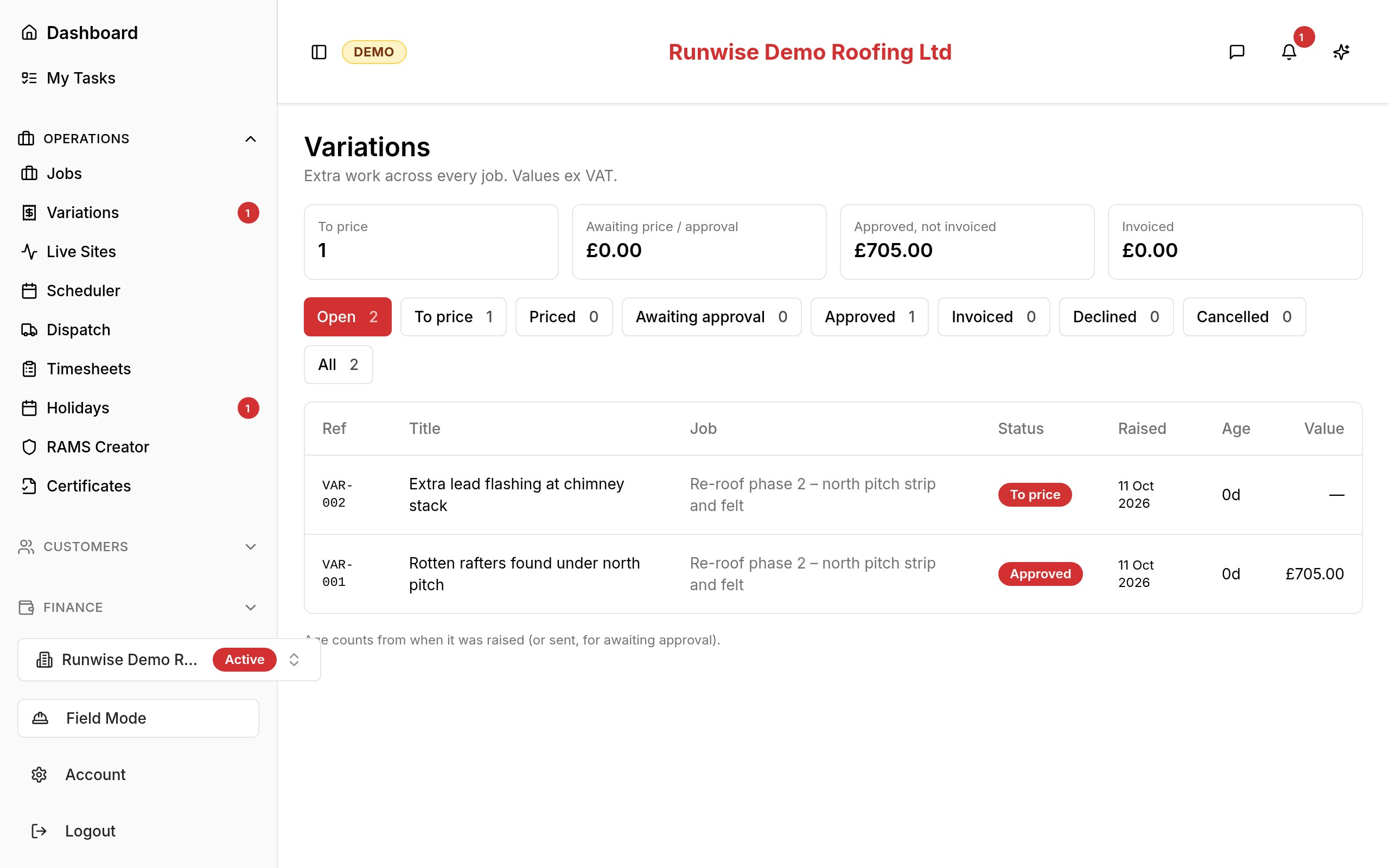
Catch extra work on site, price it and send the customer an approval link. Approved work is billed once, not lost or charged twice.
- Record extra work while you are on the job.
- Price the variation and send an approval link.
- Carry approved extras into billing once.

Evidence Pack
One button brings the job evidence into a dated, hash-stamped PDF. Keep everything that proves the job in one pack.
- Bring the job’s recorded evidence together.
- Export a dated, hash-stamped PDF.
- Keep a clear record of the completed work.
Live Sites
Give customers a progress page for long-running jobs. Site updates stay connected to the work, not scattered through messages.
- Share a customer-facing progress page.
- Keep updates against the live site.
- Show progress across long-running jobs.
Enquiries pipeline
Bring website enquiries and Google Ads leads into the same pipeline, then keep track of the follow-ups.
- Collect enquiries from your website form.
- Bring Google Ads leads into the pipeline.
- Track follow-ups in the office or on the phone.


Purchase orders & job costing
Match supplier invoices to purchase orders and see the real margin on each job. Costs stay with the work they belong to.
- Raise purchase orders for job materials.
- Match supplier invoices against purchase orders.
- Track costs and real margin per job.
P&L & financial overview
See income, costs and profit without waiting for an accountant to explain the numbers.
- View your profit and loss in one place.
- Compare income and costs.
- Keep an eye on the business’s financial position.


Xero sync
Sync invoices and payments with Xero. Include bills too if that suits the way you keep your accounts.
- Sync invoices with Xero.
- Keep payments in step between the two systems.
- Choose whether to sync bills as well.
Team chat, timesheets & holidays
Keep the crew’s messages, working time and holidays together, in the office and on the phone.
- Talk to the team through built-in chat.
- Keep timesheets alongside the work.
- Track holidays when planning the week.


Talk it in
Speak your job notes and RunwiseOS writes the sheet. Capture the details while they are still fresh.
- Dictate job notes on the phone.
- Turn spoken notes into the job sheet.
- Keep the notes with the right job.
Works with your AI assistant
Connect Claude to RunwiseOS and ask about your jobs, quotes and RAMS without switching back and forth.
- Connect your Claude assistant to RunwiseOS.
- Ask about jobs and quotes.
- Find RAMS information through the connector.